What You’ll Learn
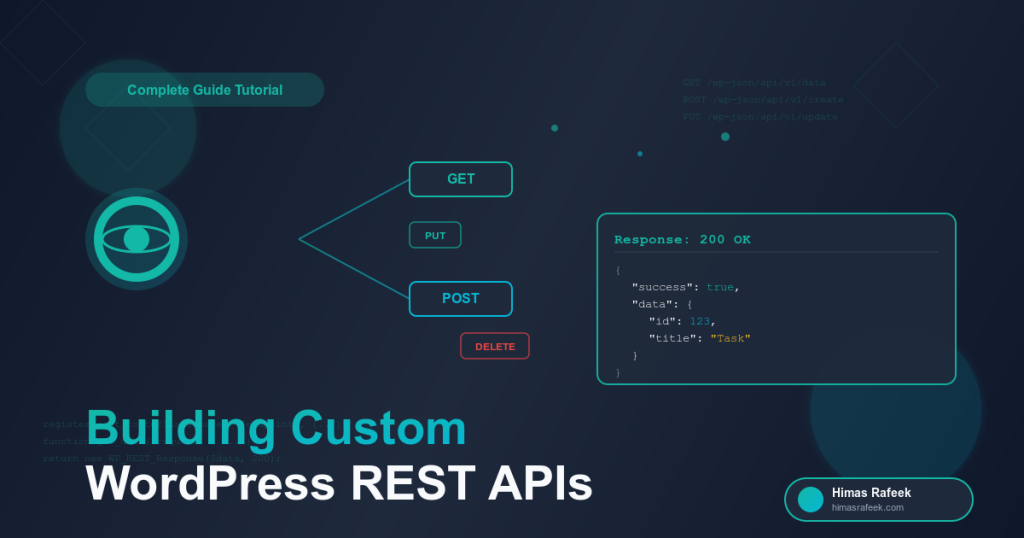
In this tutorial, you’ll learn how to create powerful custom REST API endpoints in WordPress that can:
- Handle GET, POST, PUT, and DELETE requests
- Validate and sanitize user input
- Implement proper authentication
- Return structured JSON responses
- Work seamlessly with modern JavaScript frameworks
By the end, you’ll have built a complete API for managing custom content — perfect for headless WordPress setups, mobile apps, or SaaS integrations.
Prerequisites
Before we start, make sure you have:
- Basic understanding of PHP and WordPress
- A local WordPress installation (Local, XAMPP, or similar)
- Knowledge of how REST APIs work
- A tool like Postman or Insomnia for testing (optional but recommended)
Why Custom REST API Endpoints?
WordPress comes with built-in REST API routes for posts, pages, and users. But what if you need to:
- Create custom data structures
- Build a mobile app backend
- Integrate with third-party services
- Create a headless WordPress setup
- Build custom admin dashboards
That’s where custom endpoints come in. They give you full control over your API architecture.
Project Overview: Building a Task Management API
We’ll build a complete API for managing tasks with the following features:
- Create new tasks
- Retrieve all tasks or a single task
- Update existing tasks
- Delete tasks
- Mark tasks as complete
Perfect for a to-do app, project management system, or any task-based workflow.
Step 1: Setting Up the Custom Post Type
First, let’s create a custom post type for our tasks. Add this to your theme’s functions.php:
<?php
/**
 * Register Tasks Custom Post Type
 */
function register_tasks_post_type() {
    $args = array(
        'label'               => 'Tasks',
        'public'              => true,
        'publicly_queryable'  => true,
        'show_ui'             => true,
        'show_in_menu'        => true,
        'query_var'           => true,
        'rewrite'             => array('slug' => 'task'),
        'capability_type'     => 'post',
        'has_archive'         => true,
        'hierarchical'        => false,
        'menu_position'       => 5,
        'menu_icon'           => 'dashicons-list-view',
        'supports'            => array('title', 'editor', 'author'),
        'show_in_rest'        => true, // Important for REST API access
        'rest_base'           => 'tasks',
    );

    register_post_type('task', $args);
}
add_action('init', 'register_tasks_post_type');
Key points:
show_in_restenables REST API accessrest_basedefines the API endpoint name- We support title, content, and author
Step 2: Adding Custom Meta Fields
Tasks need additional data like priority, due date, and completion status. Let’s add custom fields:
<?php
/**
 * Register Task Meta Fields
 */
function register_task_meta_fields() {
    // Priority field
    register_post_meta('task', 'task_priority', array(
        'type'         => 'string',
        'single'       => true,
        'show_in_rest' => true,
        'default'      => 'medium',
    ));

    // Due date field
    register_post_meta('task', 'task_due_date', array(
        'type'         => 'string',
        'single'       => true,
        'show_in_rest' => true,
    ));

    // Completion status
    register_post_meta('task', 'task_completed', array(
        'type'         => 'boolean',
        'single'       => true,
        'show_in_rest' => true,
        'default'      => false,
    ));
}
add_action('init', 'register_task_meta_fields');
These fields are now accessible via the REST API automatically!
Step 3: Creating Custom REST API Endpoints
Now let’s create our custom endpoints. This is where the real power comes in:
<?php
/**
 * Register Custom REST API Routes
 */
function register_custom_task_routes() {
    $namespace = 'mytasks/v1';

    // Get all tasks with custom filtering
    register_rest_route($namespace, '/tasks', array(
        'methods'  => 'GET',
        'callback' => 'get_all_tasks',
        'permission_callback' => '__return_true', // Public access
    ));

    // Get single task by ID
    register_rest_route($namespace, '/tasks/(?P<id>\d+)', array(
        'methods'  => 'GET',
        'callback' => 'get_single_task',
        'permission_callback' => '__return_true',
        'args' => array(
            'id' => array(
                'validate_callback' => function($param) {
                    return is_numeric($param);
                }
            ),
        ),
    ));

    // Create new task
    register_rest_route($namespace, '/tasks', array(
        'methods'  => 'POST',
        'callback' => 'create_task',
        'permission_callback' => 'check_user_permission',
    ));

    // Update existing task
    register_rest_route($namespace, '/tasks/(?P<id>\d+)', array(
        'methods'  => 'PUT',
        'callback' => 'update_task',
        'permission_callback' => 'check_user_permission',
        'args' => array(
            'id' => array(
                'validate_callback' => function($param) {
                    return is_numeric($param);
                }
            ),
        ),
    ));

    // Delete task
    register_rest_route($namespace, '/tasks/(?P<id>\d+)', array(
        'methods'  => 'DELETE',
        'callback' => 'delete_task',
        'permission_callback' => 'check_user_permission',
        'args' => array(
            'id' => array(
                'validate_callback' => function($param) {
                    return is_numeric($param);
                }
            ),
        ),
    ));

    // Mark task as complete
    register_rest_route($namespace, '/tasks/(?P<id>\d+)/complete', array(
        'methods'  => 'POST',
        'callback' => 'mark_task_complete',
        'permission_callback' => 'check_user_permission',
        'args' => array(
            'id' => array(
                'validate_callback' => function($param) {
                    return is_numeric($param);
                }
            ),
        ),
    ));
}
add_action('rest_api_init', 'register_custom_task_routes');
Step 4: Implementing the Callback Functions
Now let’s implement each endpoint’s logic:
Get All Tasks
<?php
/**
 * Get all tasks with filtering options
 */
function get_all_tasks($request) {
    $params = $request->get_params();

    $args = array(
        'post_type'      => 'task',
        'posts_per_page' => isset($params['per_page']) ? intval($params['per_page']) : 10,
        'paged'          => isset($params['page']) ? intval($params['page']) : 1,
        'post_status'    => 'publish',
    );

    // Filter by completion status
    if (isset($params['completed'])) {
        $args['meta_query'] = array(
            array(
                'key'     => 'task_completed',
                'value'   => $params['completed'] === 'true' ? '1' : '0',
                'compare' => '=',
            ),
        );
    }

    // Filter by priority
    if (isset($params['priority'])) {
        $args['meta_query'][] = array(
            'key'     => 'task_priority',
            'value'   => sanitize_text_field($params['priority']),
            'compare' => '=',
        );
    }

    $query = new WP_Query($args);
    $tasks = array();

    if ($query->have_posts()) {
        while ($query->have_posts()) {
            $query->the_post();
            $tasks[] = format_task_response(get_the_ID());
        }
        wp_reset_postdata();
    }

    return new WP_REST_Response(array(
        'success' => true,
        'data'    => $tasks,
        'total'   => $query->found_posts,
        'pages'   => $query->max_num_pages,
    ), 200);
}
Get Single Task
<?php
/**
 * Get a single task by ID
 */
function get_single_task($request) {
    $task_id = intval($request['id']);

    if (!get_post($task_id) || get_post_type($task_id) !== 'task') {
        return new WP_Error(
            'task_not_found',
            'Task not found',
            array('status' => 404)
        );
    }

    return new WP_REST_Response(array(
        'success' => true,
        'data'    => format_task_response($task_id),
    ), 200);
}
Create Task
<?php
/**
 * Create a new task
 */
function create_task($request) {
    $params = $request->get_params();

    // Validate required fields
    if (empty($params['title'])) {
        return new WP_Error(
            'missing_title',
            'Task title is required',
            array('status' => 400)
        );
    }

    // Create the task
    $task_data = array(
        'post_title'   => sanitize_text_field($params['title']),
        'post_content' => isset($params['description']) ? wp_kses_post($params['description']) : '',
        'post_type'    => 'task',
        'post_status'  => 'publish',
        'post_author'  => get_current_user_id(),
    );

    $task_id = wp_insert_post($task_data);

    if (is_wp_error($task_id)) {
        return new WP_Error(
            'task_creation_failed',
            'Failed to create task',
            array('status' => 500)
        );
    }

    // Add meta fields
    if (isset($params['priority'])) {
        update_post_meta($task_id, 'task_priority', sanitize_text_field($params['priority']));
    }

    if (isset($params['due_date'])) {
        update_post_meta($task_id, 'task_due_date', sanitize_text_field($params['due_date']));
    }

    update_post_meta($task_id, 'task_completed', false);

    return new WP_REST_Response(array(
        'success' => true,
        'message' => 'Task created successfully',
        'data'    => format_task_response($task_id),
    ), 201);
}
Update Task
<?php
/**
 * Update an existing task
 */
function update_task($request) {
    $task_id = intval($request['id']);
    $params = $request->get_params();

    // Check if task exists
    if (!get_post($task_id) || get_post_type($task_id) !== 'task') {
        return new WP_Error(
            'task_not_found',
            'Task not found',
            array('status' => 404)
        );
    }

    // Check ownership
    $task = get_post($task_id);
    if ($task->post_author != get_current_user_id() && !current_user_can('edit_others_posts')) {
        return new WP_Error(
            'unauthorized',
            'You do not have permission to edit this task',
            array('status' => 403)
        );
    }

    // Update task
    $task_data = array('ID' => $task_id);

    if (isset($params['title'])) {
        $task_data['post_title'] = sanitize_text_field($params['title']);
    }

    if (isset($params['description'])) {
        $task_data['post_content'] = wp_kses_post($params['description']);
    }

    wp_update_post($task_data);

    // Update meta fields
    if (isset($params['priority'])) {
        update_post_meta($task_id, 'task_priority', sanitize_text_field($params['priority']));
    }

    if (isset($params['due_date'])) {
        update_post_meta($task_id, 'task_due_date', sanitize_text_field($params['due_date']));
    }

    if (isset($params['completed'])) {
        update_post_meta($task_id, 'task_completed', (bool)$params['completed']);
    }

    return new WP_REST_Response(array(
        'success' => true,
        'message' => 'Task updated successfully',
        'data'    => format_task_response($task_id),
    ), 200);
}
Delete Task
<?php
/**
 * Delete a task
 */
function delete_task($request) {
    $task_id = intval($request['id']);

    // Check if task exists
    if (!get_post($task_id) || get_post_type($task_id) !== 'task') {
        return new WP_Error(
            'task_not_found',
            'Task not found',
            array('status' => 404)
        );
    }

    // Check ownership
    $task = get_post($task_id);
    if ($task->post_author != get_current_user_id() && !current_user_can('delete_others_posts')) {
        return new WP_Error(
            'unauthorized',
            'You do not have permission to delete this task',
            array('status' => 403)
        );
    }

    $result = wp_delete_post($task_id, true);

    if (!$result) {
        return new WP_Error(
            'deletion_failed',
            'Failed to delete task',
            array('status' => 500)
        );
    }

    return new WP_REST_Response(array(
        'success' => true,
        'message' => 'Task deleted successfully',
    ), 200);
}
Mark Task Complete
<?php
/**
 * Mark a task as complete
 */
function mark_task_complete($request) {
    $task_id = intval($request['id']);

    if (!get_post($task_id) || get_post_type($task_id) !== 'task') {
        return new WP_Error(
            'task_not_found',
            'Task not found',
            array('status' => 404)
        );
    }

    update_post_meta($task_id, 'task_completed', true);

    return new WP_REST_Response(array(
        'success' => true,
        'message' => 'Task marked as complete',
        'data'    => format_task_response($task_id),
    ), 200);
}
Step 5: Helper Functions
Add these utility functions:
<?php
/**
 * Format task data for API response
 */
function format_task_response($task_id) {
    $task = get_post($task_id);

    return array(
        'id'          => $task->ID,
        'title'       => $task->post_title,
        'description' => $task->post_content,
        'priority'    => get_post_meta($task->ID, 'task_priority', true),
        'due_date'    => get_post_meta($task->ID, 'task_due_date', true),
        'completed'   => (bool)get_post_meta($task->ID, 'task_completed', true),
        'author'      => array(
            'id'   => $task->post_author,
            'name' => get_the_author_meta('display_name', $task->post_author),
        ),
        'created_at'  => $task->post_date,
        'updated_at'  => $task->post_modified,
    );
}

/**
 * Check user permissions for protected endpoints
 */
function check_user_permission($request) {
    return current_user_can('edit_posts');
}
Step 6: Testing Your API
Now let’s test the endpoints! Your API is available at:
https://yoursite.com/wp-json/mytasks/v1/
Example Requests:
Get All Tasks:
GET https://yoursite.com/wp-json/mytasks/v1/tasks
Get Completed Tasks:
GET https://yoursite.com/wp-json/mytasks/v1/tasks?completed=true
Get Single Task:
GET https://yoursite.com/wp-json/mytasks/v1/tasks/123
Create Task:
POST https://yoursite.com/wp-json/mytasks/v1/tasks
Content-Type: application/json
Authorization: Bearer YOUR_TOKEN

{
  "title": "Build REST API Tutorial",
  "description": "Write comprehensive guide for custom endpoints",
  "priority": "high",
  "due_date": "2025-11-15"
}
Update Task:
PUT https://yoursite.com/wp-json/mytasks/v1/tasks/123
Content-Type: application/json
Authorization: Bearer YOUR_TOKEN

{
  "priority": "medium",
  "completed": true
}
Delete Task:
DELETE https://yoursite.com/wp-json/mytasks/v1/tasks/123
Authorization: Bearer YOUR_TOKEN
Step 7: Adding Authentication
For production, you’ll need proper authentication. Here’s how to add JWT authentication:
Install JWT Authentication Plugin
Add this to your wp-config.php:
define('JWT_AUTH_SECRET_KEY', 'your-secret-key-here');
define('JWT_AUTH_CORS_ENABLE', true);
Update Permission Callback
function check_user_permission($request) {
    // JWT authentication will handle this
    return is_user_logged_in();
}
Best Practices & Security Tips
1. Always Validate Input
$priority = sanitize_text_field($params['priority']);
$date = sanitize_text_field($params['due_date']);
2. Use Proper HTTP Status Codes
- 200: Success
- 201: Created
- 400: Bad Request
- 401: Unauthorized
- 403: Forbidden
- 404: Not Found
- 500: Server Error
3. Implement Rate Limiting
function rate_limit_check($request) {
    // Implement rate limiting logic
    // Return true if allowed, false otherwise
}
4. Add CORS Headers (if needed)
add_action('rest_api_init', function() {
    remove_filter('rest_pre_serve_request', 'rest_send_cors_headers');
    add_filter('rest_pre_serve_request', function($value) {
        header('Access-Control-Allow-Origin: *');
        header('Access-Control-Allow-Methods: GET, POST, PUT, DELETE, OPTIONS');
        header('Access-Control-Allow-Credentials: true');
        return $value;
    });
});
5. Log API Requests
function log_api_request($request) {
    error_log('API Request: ' . $request->get_route());
}
add_action('rest_api_init', 'log_api_request');
Advanced Features to Add
Once you’ve mastered the basics, try adding:
- Pagination with meta information
- Sorting and ordering
- Advanced filtering (date ranges, search)
- Bulk operations (update/delete multiple tasks)
- Webhooks for real-time updates
- API versioning (v1, v2, etc.)
- Caching for better performance
- Rate limiting per user
Consuming Your API with JavaScript
Here’s how to use your API from a frontend:
// Fetch all tasks
async function getTasks() {
    const response = await fetch('https://yoursite.com/wp-json/mytasks/v1/tasks');
    const data = await response.json();
    console.log(data);
}

// Create a task
async function createTask(taskData) {
    const response = await fetch('https://yoursite.com/wp-json/mytasks/v1/tasks', {
        method: 'POST',
        headers: {
            'Content-Type': 'application/json',
            'Authorization': 'Bearer ' + token
        },
        body: JSON.stringify(taskData)
    });
    const data = await response.json();
    return data;
}

// Update a task
async function updateTask(taskId, updates) {
    const response = await fetch(`https://yoursite.com/wp-json/mytasks/v1/tasks/${taskId}`, {
        method: 'PUT',
        headers: {
            'Content-Type': 'application/json',
            'Authorization': 'Bearer ' + token
        },
        body: JSON.stringify(updates)
    });
    return await response.json();
}

// Delete a task
async function deleteTask(taskId) {
    const response = await fetch(`https://yoursite.com/wp-json/mytasks/v1/tasks/${taskId}`, {
        method: 'DELETE',
        headers: {
            'Authorization': 'Bearer ' + token
        }
    });
    return await response.json();
}
Troubleshooting Common Issues
Issue: 404 – Route Not Found
Solution: Make sure you’ve flushed permalinks. Go to Settings → Permalinks and click Save.
Issue: 401 – Unauthorized
Solution: Check your authentication headers and make sure JWT is configured correctly.
Issue: CORS Errors
Solution: Add proper CORS headers as shown in the security section.
Issue: 500 – Internal Server Error
Solution: Enable WordPress debug mode and check error logs:
define('WP_DEBUG', true);
define('WP_DEBUG_LOG', true);
Conclusion
Congratulations! You’ve built a complete custom REST API in WordPress. This foundation can be extended to create:
- Mobile app backends
- Headless CMS setups
- Third-party integrations
- Custom admin dashboards
- SaaS platforms
The possibilities are endless.